Running a successful podcast while managing a demanding 9-to-5 job is a masterclass in time management. The biggest hurdle part-time podcasters face isn’t a lack of creativity; it is a lack of consistency. When you are juggling work meetings, commuting, and personal life, the podcast production process can easily become overwhelming, leading to missed deadlines and burnout. Implementing a robust editorial calendar system is the secret weapon that transforms chaotic, last-minute scrambling into a sustainable, predictable workflow, ensuring your podcast thrives without sacrificing your day job.
The Foundation of a Part-Time Podcasting Calendar
An editorial calendar is far more than a simple grid with release dates; it is a comprehensive project management framework. For part-time podcasters, this system must break down the massive undertaking of an episode into small, manageable micro-tasks that can be completed during brief windows of free time.
By mapping out your content weeks or months in advance, a calendar provides a big-picture view of your production pipeline. It tells you exactly what phase of production you should be in on any given day—whether that is researching, recording, or editing. This clarity eliminates the “what should I do next?” paralysis that often plagues busy creators after a long day at the office.
Establishing a Sustainable Release Cadence
The first rule of podcasting while working full-time is to set a schedule you can realistically maintain. Consistency is the primary driver of audience growth; listeners return when they can trust that a new episode will arrive on a predictable cadence.
The Power of Bi-Weekly Publishing
For creators just starting out or those with highly demanding day jobs, adopting a bi-weekly (every two weeks) release schedule is highly recommended. Releasing an episode every 14 days provides ample breathing room to plan, record, and edit without feeling constantly rushed. This slower pace allows you to build a buffer of pre-recorded episodes, ensuring that an unexpectedly busy week at your day job does not derail your podcast schedule. Once you establish a solid rhythm, you can always scale up to weekly releases.
Mapping Production Milestones to Your Calendar
To make your editorial calendar effective, you must work backward from your target release date and assign specific deadlines to every stage of production. Breaking down the workload prevents weekend emergencies and allows you to integrate podcast tasks into your daily work week.
For example, if your podcast releases every other Monday, your workflow mapped onto your calendar might look like this:
- Week 1, Monday-Wednesday: Brainstorm topics and complete episode research during lunch breaks or commutes.
- Week 1, Thursday/Friday: Send guest outreach emails or finalize your solo script.
- Week 1, Weekend: Record the episode during a dedicated “Podcast Power Hour.”
- Week 2, Monday-Wednesday: Edit the audio in short, 30-minute evening sessions.
- Week 2, Thursday/Friday: Write show notes, create promotional graphics, and schedule social media posts.
- Week 2, Weekend: Final review and schedule the episode for automated publishing.
Choosing the Right Calendar Tool
The platform you use to build your editorial calendar should fit seamlessly into your existing digital habits. There are several excellent options available, ranging from simple spreadsheets to advanced project management software.
Spreadsheet Templates (Google Sheets/Excel)
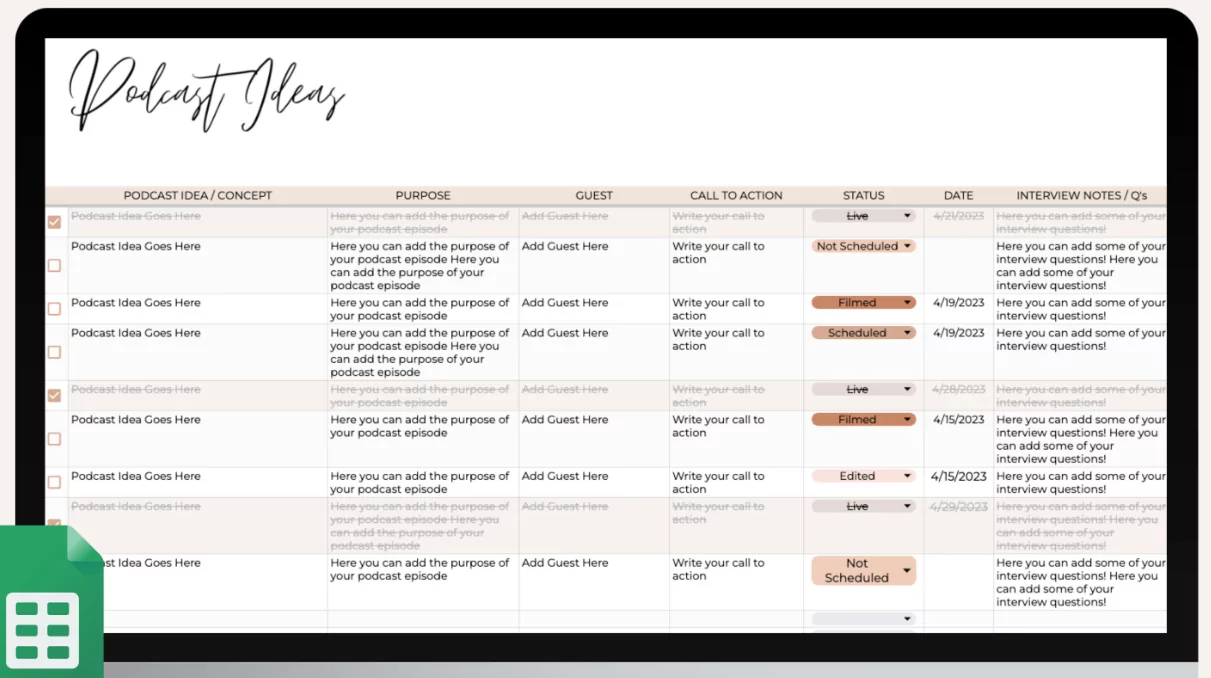
For a straightforward, highly customizable approach, a spreadsheet template is ideal. You can create columns for episode numbers, working titles, recording dates, guest details, and current status (e.g., “Scripting,” “Editing,” “Scheduled”). Spreadsheets like Google Sheets allow you to easily sync with your personal Google Calendar, triggering automated reminders on your phone when a production deadline is approaching.
Project Management Apps (ClickUp/Monday.com)
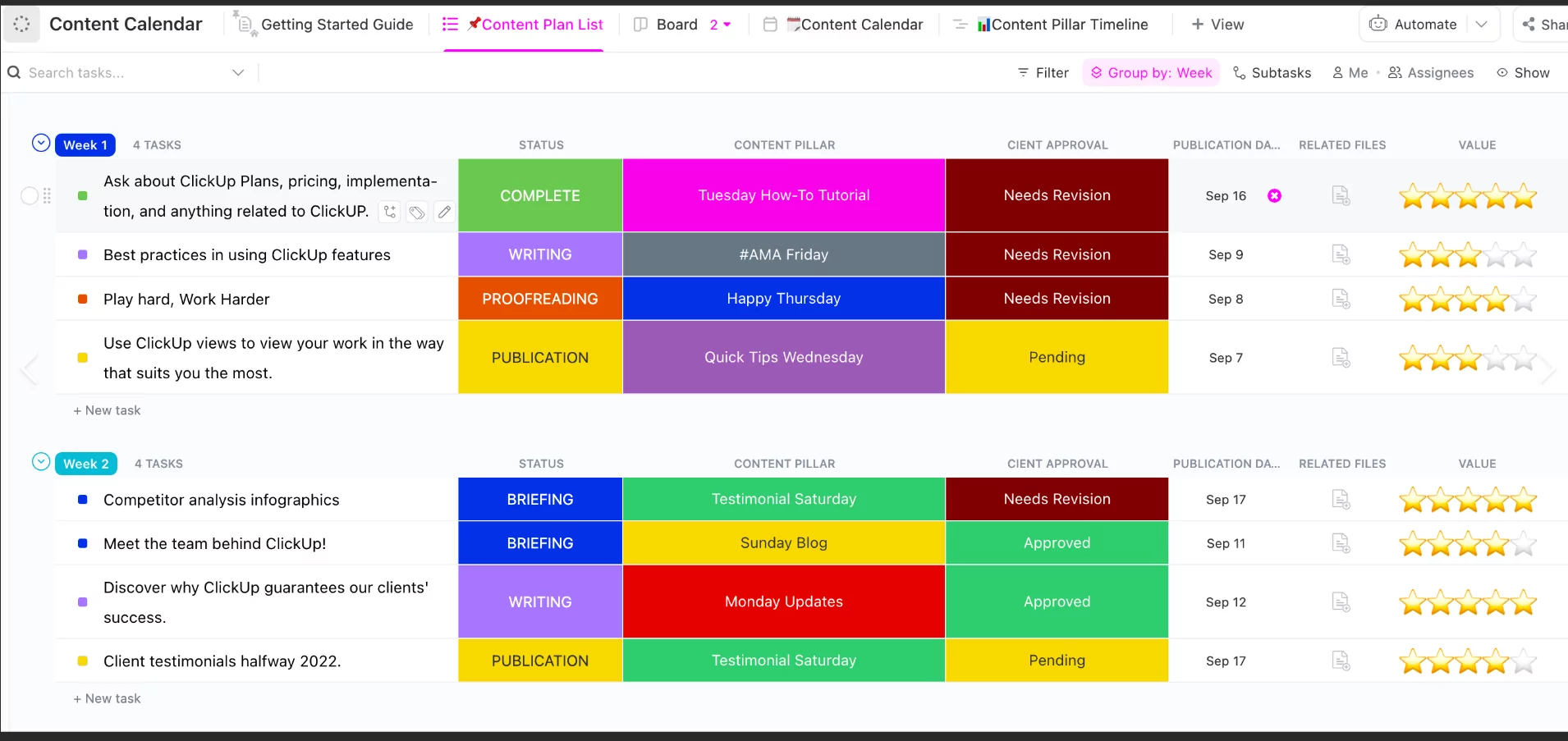
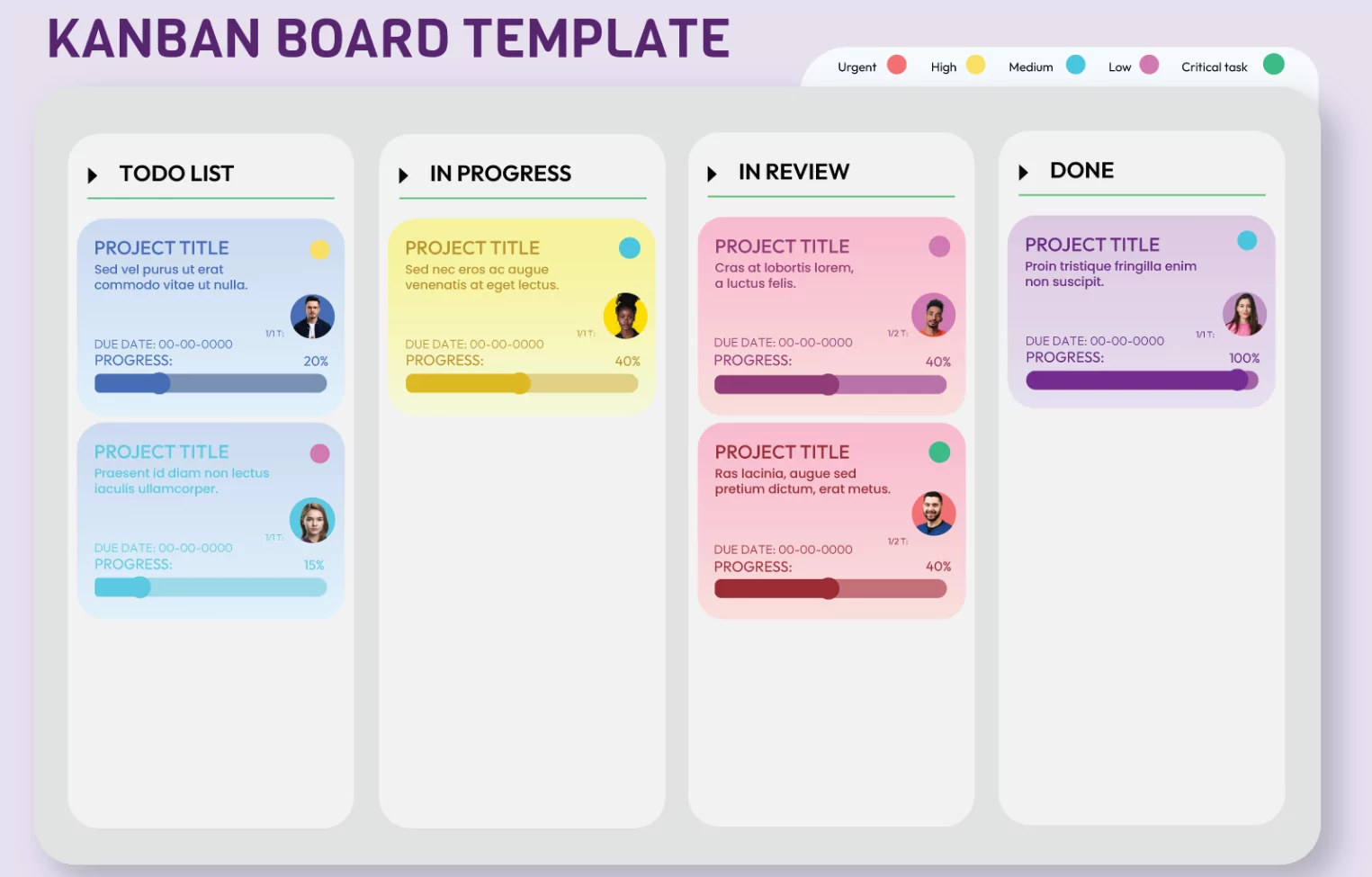
If your podcast involves collaborators, such as a co-host or a freelance editor, project management tools like ClickUp or Monday.com are invaluable. These platforms offer specialized podcast calendar templates that utilize Kanban boards. You can visually drag an episode card from “Concept” to “In Production” to “Published.” These tools also offer automation features; for example, when you mark a recording task as complete, the system can automatically notify your editor that the raw audio is ready.
Strategies to Protect Your Time and Sanity
Even with a perfect calendar, the reality of working a day job means unexpected delays will happen. Building resilience into your editorial calendar system is crucial for long-term success.
Batching Tasks for Efficiency
Context switching—moving back and forth between different types of tasks—drains mental energy. To combat this, use your calendar to schedule “batching” sessions. Instead of recording and editing one episode per week, schedule a weekend afternoon to record three episodes back-to-back. The following week, dedicate your evenings solely to editing those three files. Batching maintains your momentum and drastically reduces the setup time required for recording equipment.
Building an Emergency Buffer
Never record an episode the day before it is supposed to be released. Your editorial calendar should always aim to keep you 3 to 5 fully produced episodes ahead of your publishing schedule. If you get sick, if you have to travel for your day job, or if a guest cancels at the last minute, this buffer ensures your podcast feed remains active without requiring you to pull an all-nighter.
Leveraging Automation
Automation is the part-time podcaster’s best friend. Use your podcast hosting platform (like Spotify for Creators or Libsyn) to schedule your episodes to publish automatically at a future date and time. Utilize social media scheduling tools to queue up your promotional posts for the entire month in one sitting. By automating the distribution, you free up your limited time to focus on what actually matters: creating great content.
Conclusion
Managing a day job and a podcast is a challenging balancing act, but it is entirely achievable with the right systems in place. By implementing a structured editorial calendar, setting realistic publishing goals, breaking down production tasks, and utilizing task batching, you can transform your podcast from a source of weekly stress into a thriving, consistent creative outlet.
