Running a YouTube channel is not only about having great ideas. It is also about turning those ideas into a repeatable process that keeps content moving from concept to upload without constant chaos. For many creators, the real challenge is not creativity itself, but planning, filming, and editing timeline coordination in a way that supports consistency, quality, and growth.
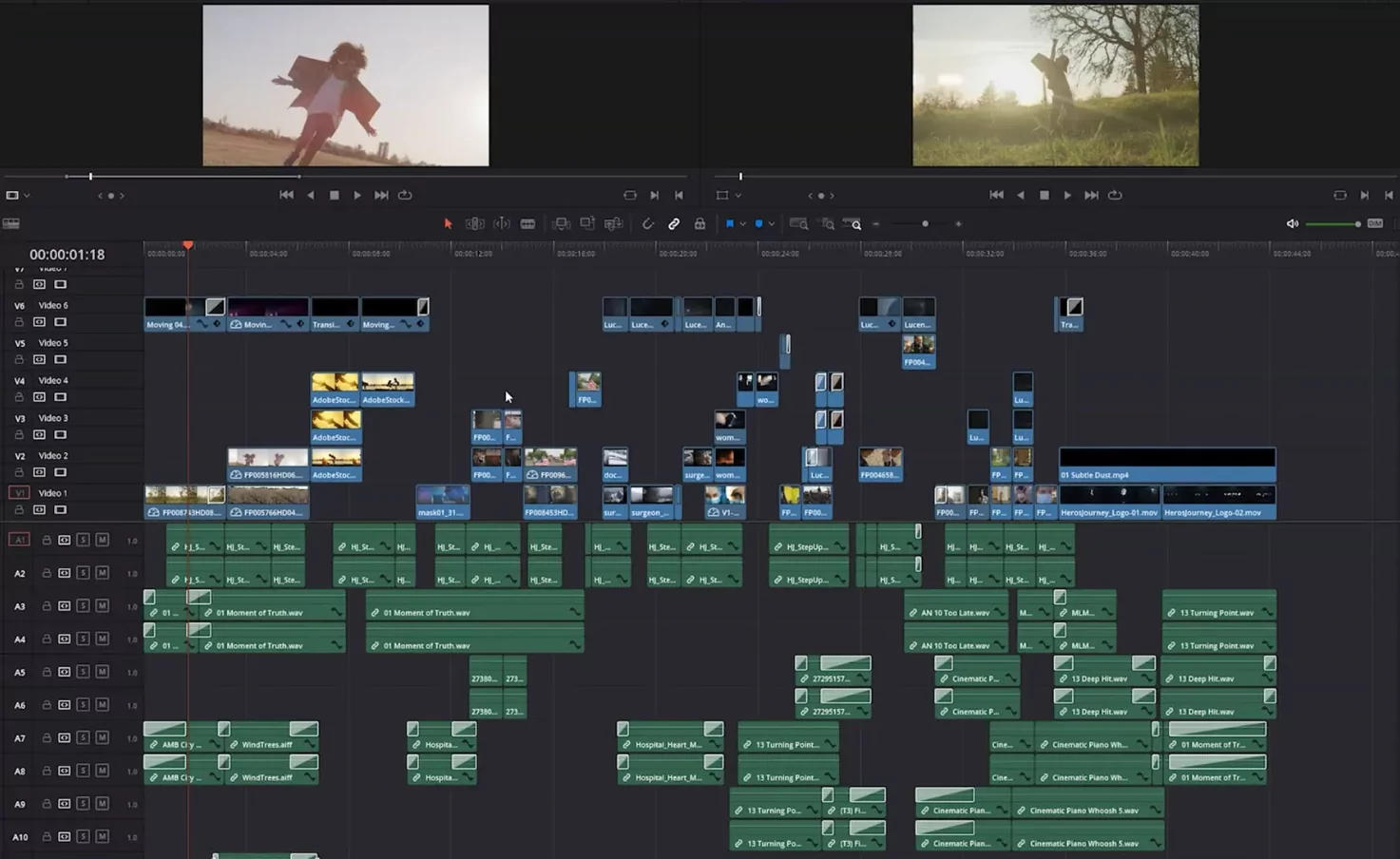
A video production calendar helps solve that problem. Instead of handling each upload at the last minute, YouTubers can map out ideas, recording days, editing blocks, review time, and publishing schedules in advance. This makes production more predictable, reduces missed deadlines, and helps creators stay focused even when managing multiple videos at once.
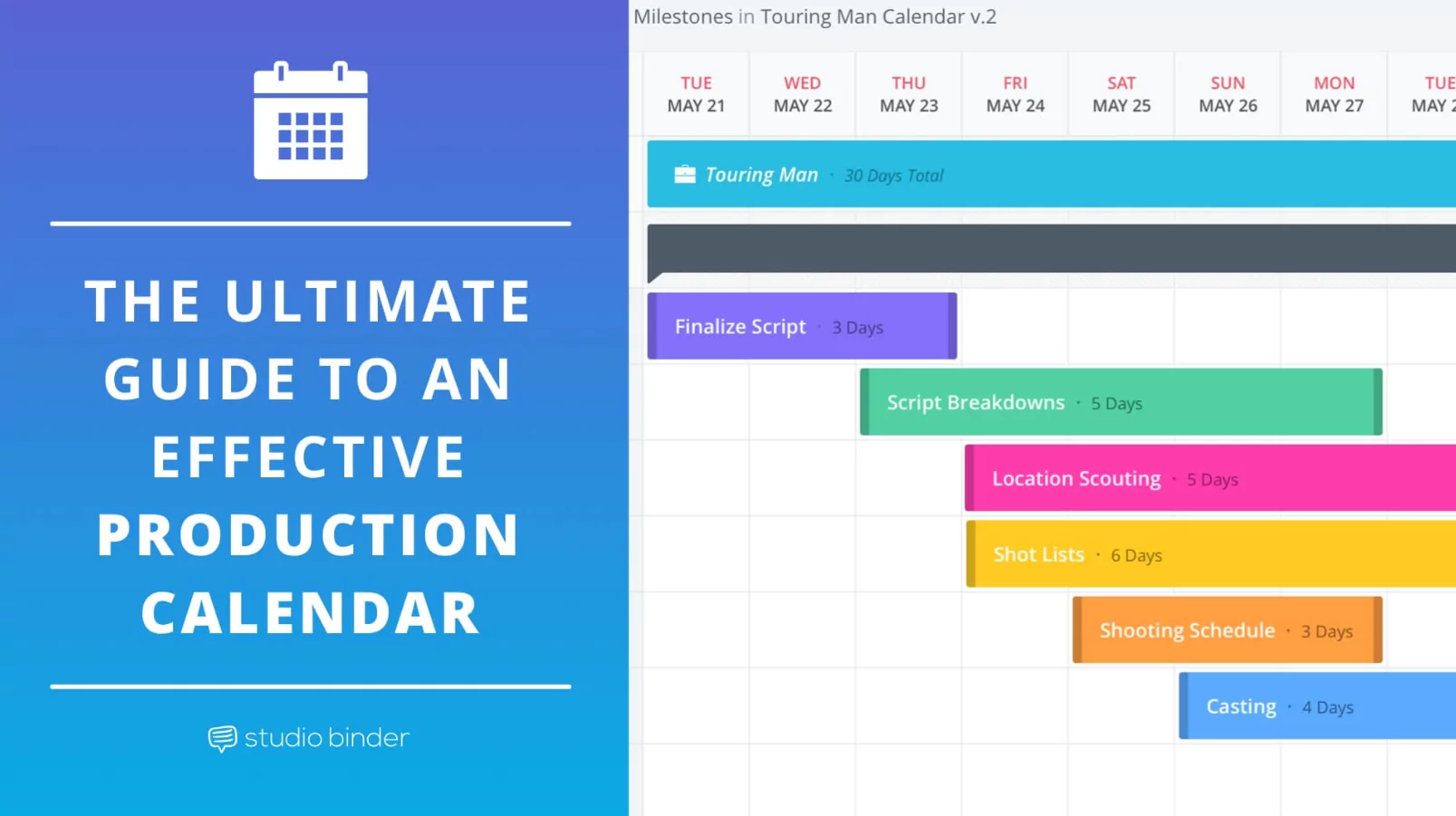
Why YouTubers Need a Video Production Calendar
YouTube rewards consistency, but consistency is difficult when every video is produced in a rush. Without a clear schedule, creators often jump from brainstorming to filming to editing without enough time for revision, thumbnails, titles, descriptions, or promotion. That kind of reactive workflow usually leads to stress, delays, and uneven video quality.
A structured production calendar gives creators a better view of the full content pipeline. It shows what is being planned, what is ready to film, what is in editing, and what is scheduled for upload. With that visibility, it becomes easier to manage deadlines, protect creative energy, and keep the channel active without burning out.
What Planning, Filming, and Editing Timeline Coordination Really Means
Planning, filming, and editing timeline coordination means treating video creation as a connected system rather than a series of isolated tasks. Every stage affects the next one. If planning is rushed, filming becomes inefficient. If filming is disorganized, editing takes longer. If editing runs late, publishing and promotion suffer.
Good coordination means assigning realistic time to each stage of production. It also means knowing when to batch work, when to leave buffer time, and when to adjust the schedule before one delay turns into a missed upload. For YouTubers who want long-term growth, this kind of coordination is essential.
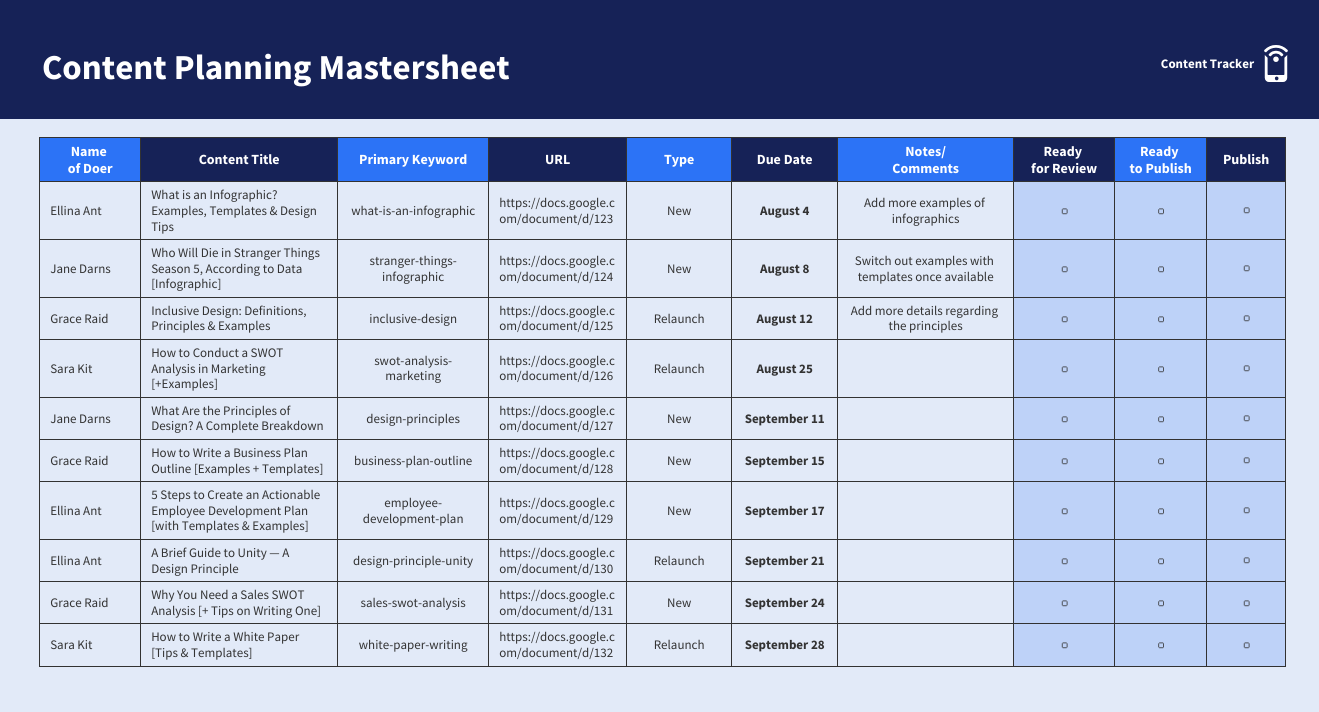
The Planning Stage: Start With a Content Roadmap
The best production calendars begin before the camera turns on. Planning should include topic selection, keyword research, audience intent, scripting, outline creation, and deciding the purpose of each video. Some videos may be built to rank in search, while others are meant to build community, support a product, or respond to trends.
When creators schedule planning properly, they avoid idea gaps and last-minute decision-making. A simple calendar can assign specific days for brainstorming, script writing, outline review, and production prep. This creates a content roadmap that makes the entire channel easier to manage.
How to Organize Video Planning
A helpful way to organize planning is to separate idea generation from production scheduling. First, keep a running list of video ideas. Then move selected ideas into a monthly or weekly content calendar. This allows creators to think creatively without confusing idea storage with actual production readiness.
It is also useful to prioritize topics by urgency, relevance, and effort. For example, trend-based content may need to be filmed quickly, while evergreen tutorials can be scheduled further ahead. This gives the calendar more flexibility and helps creators use their time more strategically.
The Filming Stage: Build Around Energy and Efficiency
Filming should not happen only when there is free time. It should be scheduled around the creator’s best energy, available setup conditions, and the complexity of the content. Some YouTubers perform best when filming multiple videos in one session, while others prefer shorter sessions with more preparation.
A production calendar makes filming more efficient because it helps creators group similar tasks together. For example, one day can be reserved for talking-head videos, another for product shots, and another for voiceovers or B-roll. This reduces setup repetition and makes filming days more productive.
Why Batch Filming Helps
Batch filming is one of the most effective ways to improve planning, filming, and editing timeline coordination. Instead of setting up equipment for each individual video, creators can record several pieces of content in one block. This saves time and creates a buffer of footage for future uploads.
Batch filming also helps maintain consistency. Lighting, background, audio setup, and energy level can stay relatively stable across multiple videos. That makes the channel feel more polished and gives editors a more predictable workflow.
The Editing Stage: Protect Time for Quality
Editing is often the most underestimated part of video production. Many creators schedule filming but fail to block enough time for cuts, audio cleanup, color correction, motion graphics, subtitles, thumbnails, and final review. As a result, editing gets rushed and videos go live without enough refinement.
A strong video production calendar gives editing its own space. That space should include first assembly, detailed edit, revisions, export time, thumbnail design, metadata preparation, and upload checks. When these tasks are visible on the calendar, creators are less likely to treat editing as a final-minute task.
Build Buffer Time Into Every Edit
No matter how skilled the editor is, unexpected delays happen. A file may need re-exporting, an intro may need revision, or the creator may want to cut a section after reviewing the final draft. That is why editing timelines should include buffer time rather than ending at the exact upload deadline.
Even a one-day margin can make a major difference. It gives room for quality control and protects the publishing schedule from technical issues or creative changes.
How to Structure a Weekly YouTube Production Calendar
The most effective calendar is one that matches your actual production capacity. A solo creator posting one video per week will need a different system than a team publishing three videos across multiple formats. The key is to create a repeatable structure that can be maintained over time.
Here is one simple weekly example for a creator posting one long-form video each week:
- Monday: Topic selection, keyword research, outline, and script draft.
- Tuesday: Final script review, shot list, and production prep.
- Wednesday: Filming and backup of all raw footage.
- Thursday: First edit, rough cut, and notes for revisions.
- Friday: Final edit, thumbnail design, metadata, scheduling, and upload review.
This kind of structure helps creators see exactly where each video stands. It also makes it easier to identify delays early and rebalance the schedule before the upload day is affected.
Common Problems a Production Calendar Can Prevent
Without a proper calendar, creators often run into the same issues repeatedly. They run out of ideas, film too late, underestimate editing time, forget promotion tasks, or publish inconsistently. Over time, these problems affect channel growth and make content creation feel more exhausting than rewarding.
A production calendar reduces those risks by making the process visible. It gives creators a clear path from planning to publishing and helps prevent too many important tasks from piling up at the same time. In many cases, the calendar itself becomes the difference between random uploads and sustainable content production.
SEO Benefits of Better Timeline Coordination
Planning, filming, and editing timeline coordination also supports better SEO performance on YouTube and beyond. When creators plan earlier, they have more time to shape topics around search intent, write stronger titles, prepare clearer descriptions, and create thumbnails that match user expectations.
A better production workflow also makes it easier to produce supporting content such as blog embeds, email promotion, short clips, and social posts. This extends the reach of each video and allows creators to build a more complete content ecosystem around every upload.
Tips for Making the Calendar Work Long Term
- Choose a publishing frequency you can realistically maintain.
- Schedule planning, filming, editing, and promotion as separate tasks.
- Batch similar videos when possible to save setup time.
- Leave buffer time before every publishing deadline.
- Review your calendar weekly and adjust based on production speed.
- Track which stages keep causing delays and improve those first.
A video production calendar is not about making creativity rigid. It is about giving creativity enough structure to survive deadlines, revisions, and real-life interruptions. For YouTubers who want to grow without losing control of their schedule, planning, filming, and editing timeline coordination is one of the most valuable systems they can build.
When each stage of production has a place on the calendar, content becomes easier to manage, deadlines become less stressful, and the channel becomes more consistent. That is how creators turn scattered effort into a sustainable publishing workflow.
